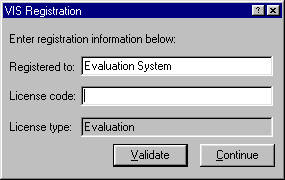
Two pieces of information are required to enable full functionality of the VIS software. The Registered to name containing the name of the individual or company who purchased the software and the License code, an encrypted 12 character password generated from the registration name, are supplied upon purchase.
When entering these values, punctuation and capitalization does not matter - only alphanumeric characters are used when validating the name and license code. Press the Validate button after you have entered your information. If all information is correct, the License type will be displayed as Full. Once the information is correctly entered, it is stored with your system and will not need to be entered again unless the VIS software is reloaded.
If you require a different registration name, please contact Creative Information Solutions.