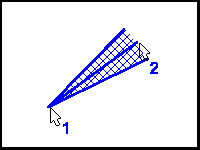
The Range function displays a line coupled with two additional lines at preset counter-clockwise and clockwise angles.
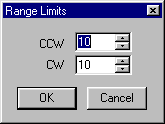
The range limits are prompted for the first time the range function is selected. To change the limits, select the operation again from the toolbar or menu, or hold the shift key down while making the first selection.
The object is hatched if Solid Fill is enabled in the Edit/Setup/Draw menu. If the hatching is drawn but not desired, click the right mouse button (undo) to remove it.