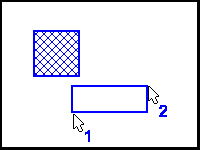
Box/Rectangle draws a box or rectangle from two user defined screen positions. Click with the mouse to establish the first corner and click a second time to establish the opposite corner. Hold down the SHIFT key to constrain the rectangle to a true box.
The object is hatched if Solid Fill is enabled in the Setup/Draw menu. If the hatching is drawn but not desired, click the right mouse button (undo) to remove it.